 StoryCodex
Chapter Summaries on Demand: Never Get Lost
How the chapter summary tool works, how long chapters are handled, and how to choose between on-device analysis and StoryCodex Cloud.
 ForgeAppsUpdated September 29, 20267 min read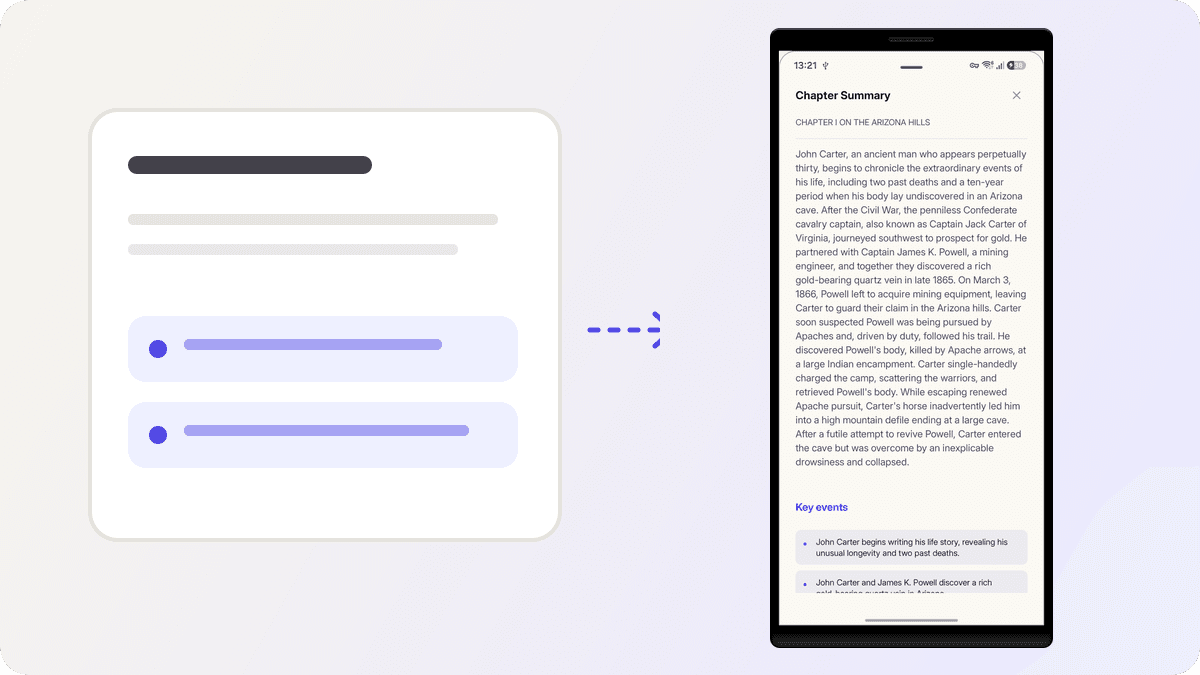
Long chapters have a way of swallowing context. You read for twenty minutes, get interrupted, and return to a page where you no longer remember what the chapter was even doing. The chapter summary tool exists for exactly that moment, and it also does quiet double duty: every summary you generate becomes raw material for your Codex, your Timeline, and your recaps.
Get a summary in three taps
- 1
Open the chapter
Summaries live in the reader. Open the chapter you want and look at the AI bar under the top toolbar.
- 2
Tap Summarize
The button reads Summarize, or Summarize (2) when a managed cloud run would cost two credits, so the price is on the button before you commit. If the companion is off for this book, the button offers to enable it.
- 3
Read the sheet
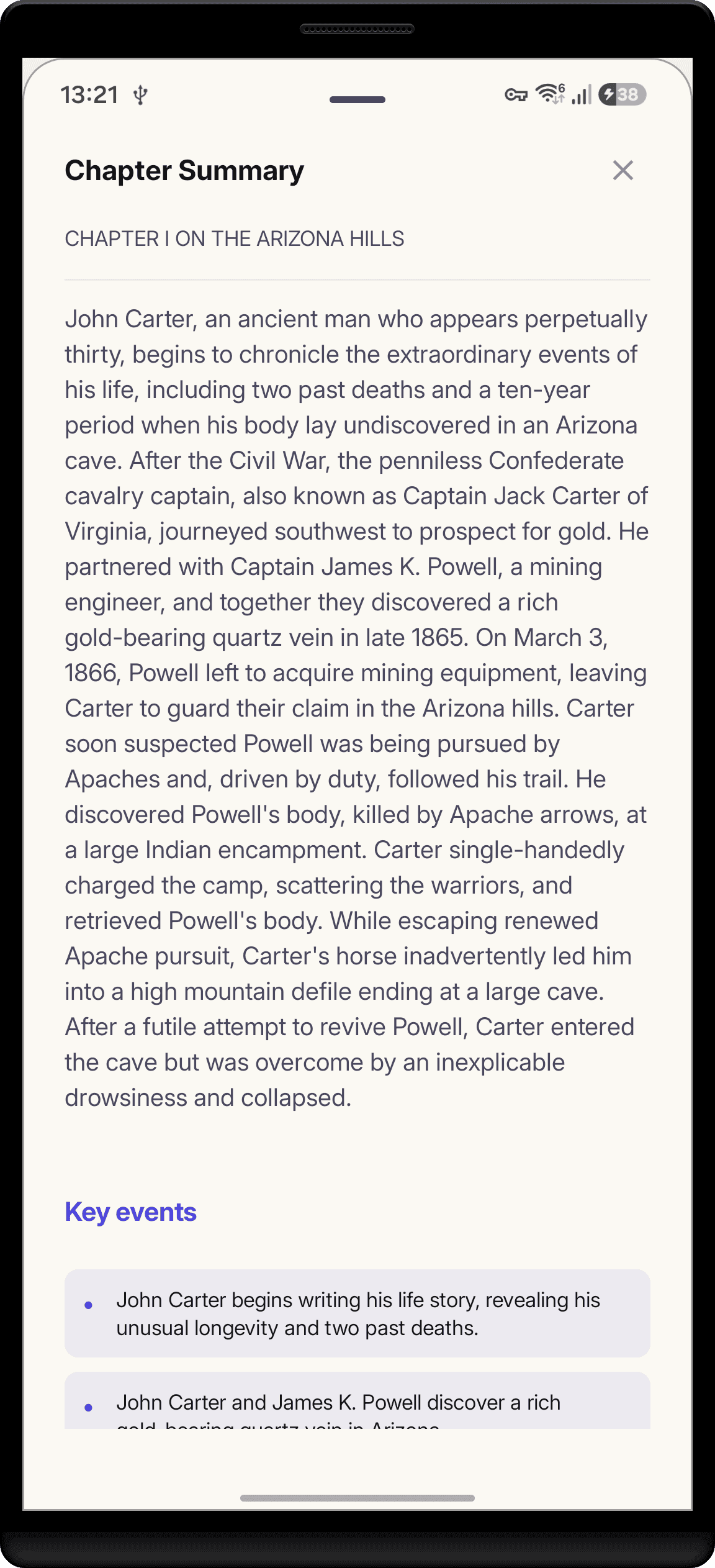
The Chapter Summary sheet slides up with the result. Once a summary exists, the button relabels itself Summary so you can reopen it any time.
What a summary actually contains
A finished summary is three things stored against that chapter forever. First, a tl;dr paragraph: a few plain sentences covering what actually happened, written to remind a reader, not to advertise the chapter. Second, a Key events list, where each entry pairs a short title with a one-line description, so a duel, a betrayal, and a discovery each get their own row. Third, a list of new entities the chapter introduced, which is how fresh characters and places enter the Codex. Because the summary is keyed to the chapter itself rather than to its position or URL, it survives re-synced chapter lists and stays reachable from the same sheet months later.
Those summaries are not a dead end. Key events feed the Codex Timeline, new entities feed the Characters and World tabs, and the whole record feeds future Previously On recaps and story insights in your reading stats. Every chapter you summarize makes the rest of your story memory more accurate.
Why summaries insist on order
A summary is not written in isolation. The pipeline writes each chapter against the story state accumulated from the chapters before it, which is how it knows that the stranger is actually the missing heir. Ask for chapter 40 while chapter 39 is unsummarized and the sheet warns you first: the previous chapter has not been summarized yet, and summarizing now might mix up story timelines or miss character introductions. You can still tap through and summarize anyway; the warning exists because an out-of-order summary quietly bakes wrong context into everything downstream. If you would rather the app refuse outright, the Summarize Chapters in Order toggle in companion settings turns the warning into a hard rule, and the same toggle stops auto-analysis from skipping ahead while you browse.
Long chapters get sectioned, not truncated
Every model has a comfortable input budget, roughly 18,000 characters for the bundled on-device models. A chapter longer than that is split into segments at paragraph or sentence boundaries, each segment gets its own analysis pass, and the sheet shows part N of M progress instead of one opaque spinner. Nothing is cut: a 60,000-character mega-chapter becomes four segments and every part is summarized, with repeats between segments collapsed back into one Codex.
Because each segment means more model passes, the app asks before starting a big one. Once a chapter would need three or more segments, around 40,000 characters on the on-device models, a confirmation card appears showing the segment count and the estimated number of runs, and nothing starts until you approve. There is a don't-ask-again option for serials where every chapter is huge. Long runs can also be paused mid-chapter and resumed later from the checkpoint, and cloud models skip the prompt entirely because the work is not happening on your phone.
Cloud credit math, worked out
StoryCodex Cloud charges one credit per 50,000 characters of chapter text, rounded up, capped at four credits per job. So a typical 8,000-character web novel chapter costs one credit. A 48,000-character chapter is still one. A 51,000-character chapter is two, a 120,000-character epic finale is three, and anything up to 200,000 characters tops out at four. Above 200,000 characters the managed cloud path will not take the chapter at all; that is the hard maximum, and chapters that size belong to the on-device or your-own-key path instead. The cost is always quoted before the job starts, credits are reserved first and only spent on success, and a retried run reuses its reservation rather than double-charging. There is no subscription and no API key to manage.
When on-device is enough
For everyday reading, on-device analysis is the default for a reason: it is free, unlimited, private, and works with no connection, which is the whole point of running AI locally. It also auto-summarizes a few seconds after you open a chapter, so for most books the summary is already waiting when you tap the button. The trade-offs worth knowing: a long chapter means many minutes of model work rather than seconds, the pipeline deliberately slows between stages when the phone reports it is warm or the battery is low (the Battery & Heat Safety toggle controls this), and batch analysis of many chapters at once is cloud-only, because local models cannot process a backlog reliably.
On device versus StoryCodex Cloud
| On device | StoryCodex Cloud | |
|---|---|---|
| Cost | Free, unlimited | 1 credit per 50k chars, cap 4 |
| Speed | Minutes on long chapters, heat aware | Fast, managed servers |
| Offline | Works with no connection | Needs network |
| Privacy | Text stays on the device | Managed, credit based |
| Chapter size limit | Sectioned loop, no hard cap | 200,000 characters per job |
| Bulk backlog runs | Not available | Analyze on the book page |
| Best for | Everyday reading | Long chapters, catch ups |
Questions readers ask about summaries
What if I skip a chapter?
Summaries are ordered. Request chapter 40 while chapter 39 is unsummarized and StoryCodex warns you before analyzing, because an out-of-order summary would break story logic. You can override it once, or enforce it everywhere with the Summarize Chapters in Order setting.
What about very long chapters?
Chapters bigger than the model's input budget are split into boundary-snapped segments and analyzed piece by piece with per-part progress. Past three segments the app asks for explicit confirmation first, and you can pause, resume, or abort a run at any time.
Does it run on my phone or in the cloud?
Both can be available depending on your companion setup. The on-device path is private, free, and works offline; StoryCodex Cloud is the optional faster path and costs a small number of credits.
How much does cloud analysis cost?
One credit per 50,000 characters, capped at four credits for a single job, with a hard limit of 200,000 characters per chapter. The button shows the cost before you start, and retries reuse the same reservation.
Can I summarize a backlog after a hiatus?
Yes. On the book page, select the chapters you missed and tap Analyze to queue them in order with a credit estimate up front. Batch runs need a cloud model; on-device catch-up means reading through, or letting auto-analysis follow you. Our hiatus catch-up guide walks the full recovery workflow.
Coming back to a novel after months away? Select the missed chapters on the book page, tap Analyze, confirm the credit estimate, and let the queue run while you read ahead. On-device readers can do the same thing for free by simply reading through the gap, since every opened chapter auto-summarizes.
StoryCodex is free to try on Google Play and the App Store. Import a serial, pick a neural voice, and your library works fully offline, no account required.
Keep the story clear
Try StoryCodex for free.
Read, listen, and remember any long story with a private, spoiler-safe story memory that lives on your device.

