 StoryCodex
Discover: 70,000 Free Classic Books, Built Into Your Reader
The new Discover tab puts the Project Gutenberg and Standard Ebooks catalogs inside StoryCodex. Browse genres, search the classics, and add a book to your library in one tap.
 ForgeAppsSeptember 29, 20265 min read
Every reader app has the same cold-start problem: it arrives empty and waits for you to feed it. The newest StoryCodex release fixes that with a whole tab dedicated to filling your library. Discover is a built-in catalog of free classic books, drawn from Project Gutenberg and Standard Ebooks, and adding one takes a single tap. No store checkout, no account, no sideloading dance. Open the tab, pick a book, and it lands in your library as a normal EPUB, with everything that means inside StoryCodex.
What Discover actually is
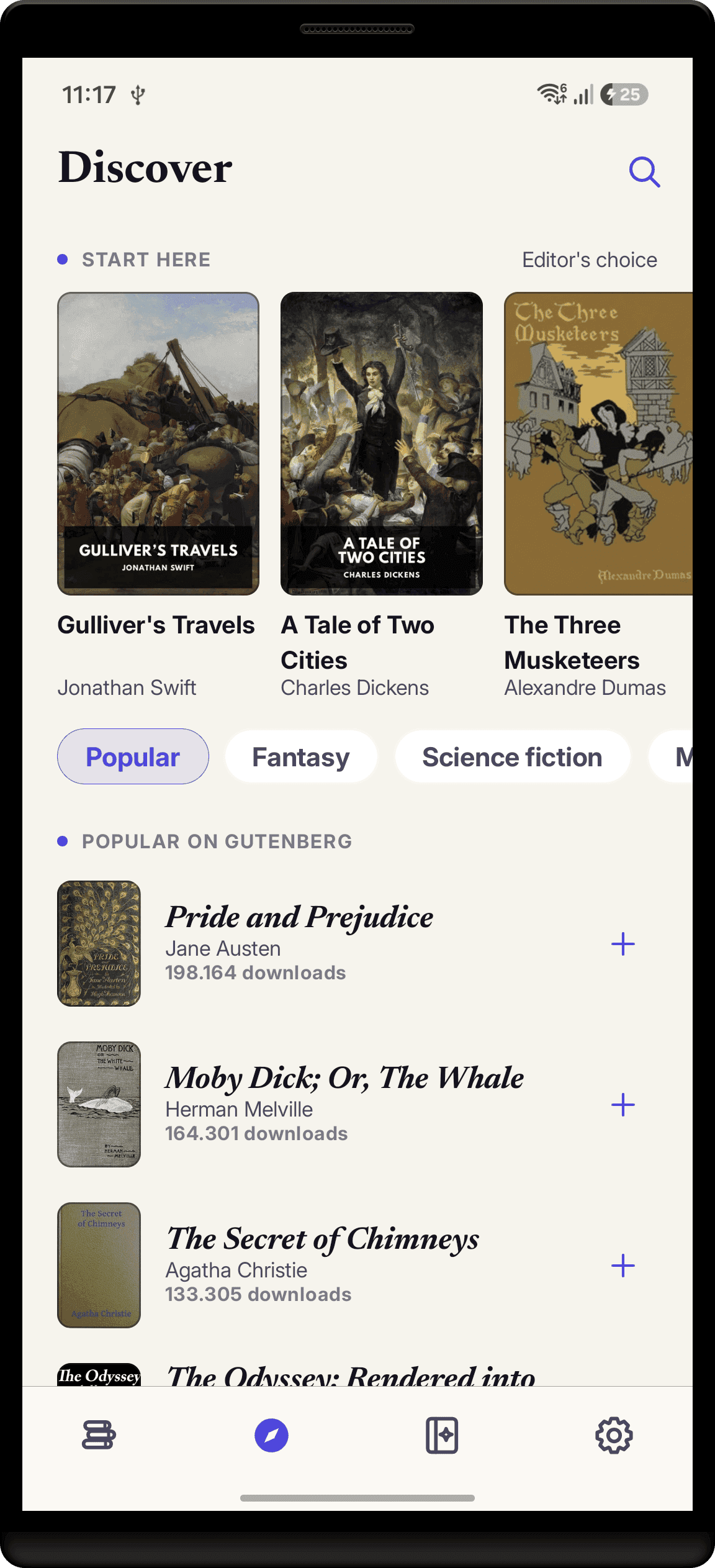
Discover is a browsable feed of Project Gutenberg's catalog, which holds more than 70,000 free public domain titles, plus curated editions from Standard Ebooks. Each row shows the cover, author and dates, subjects, language, and download count, so browsing feels like a real bookstore rather than a file listing. Tapping a book opens a detail card with the full record and a link out to its Gutenberg page if you want the source. On tablets the catalog opens as a cover grid beside a detail pane, so you can flip through a shelf the way you would in a library.
The feed starts at Popular on Gutenberg, the most-downloaded classics right now, and a row of genre chips narrows it from there: Fantasy, Science fiction, Mystery, Horror, Romance, Children, Adventure, History, and Philosophy. If you already know what you want, the search field matches on title and author, so "Conan Doyle" or "Frankenstein" goes straight to the shelf.
The Start here shelf
At the top of the tab sits a small curated shelf of Standard Ebooks editions, the versions of public domain classics that get modern typography, cleaned-up text, and real cover art. It exists so a brand-new install is never staring at a blank feed: the covers are bundled with the app, so the shelf renders even before the first catalog fetch finishes. Titles you have already added drop out of the shelf automatically, and the Popular feed skips them too, so you are never offered a book that is already in your library.
One tap from catalog to library
How a Discover book becomes yours
- 1
Open the Discover tab
It is one of the main tabs in the app, so it is never more than one tap away. Browse the chips or search a title or author.
- 2
Tap a book, read its card
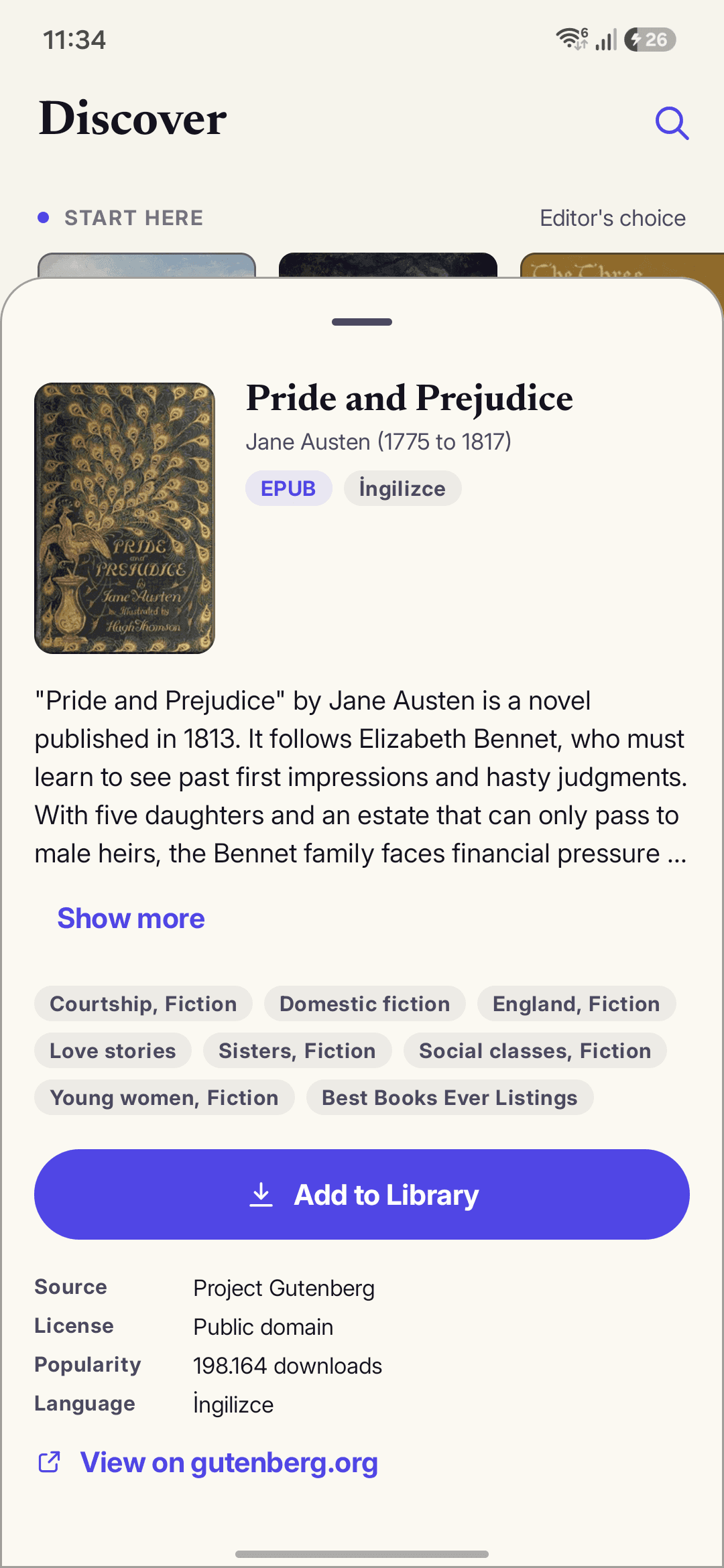
The detail view shows the cover, author, subjects, language, and how many readers have downloaded it from the source.
- 3
Tap Add to library
The app downloads the EPUB, with a fallback source if the first mirror is slow, and runs it through the same importer that handles your own files. A progress indicator tracks the fetch.
- 4
Read it like anything else
Once imported, a Discover book is a normal library entry: chapters, progress tracking, reading stats, narration, and the Story Codex all apply to it.
Why classics belong in this reader specifically
Public domain classics are exactly the books where a smart reader pays off. Dickens, Dostoevsky, and Tolstoy run casts of dozens across hundreds of pages, and the Story Codex tracks every character, place, and faction bounded to your position, so a name from chapter 3 that resurfaces in chapter 30 is one tap away from a reminder. And because every Discover title is an EPUB under the hood, it is narratable: pick a neural voice and a Victorian novel becomes a private audiobook for the commute, for free. The audiobook guide covers the listening workflow, and the EPUB reader overview covers what file books get inside the app.
Scope, stated plainly: a public domain catalog means classics and older works, not this month's bestsellers. For everything newer, StoryCodex already imports by URL, EPUB, PDF, and text, which the import guide covers end to end. Browsing the catalog needs a connection, since the feed is live, but every book you add is fully offline from then on. Discover is shipping on Android first in the current release.
Discover, quickly
Are these books actually free?
Yes. Everything in the catalog is public domain, so it is free legally and permanently, with no account and no checkout. StoryCodex does not sell books; the catalog is there to fill your library, not to be a store.
Do Discover books work offline?
Browsing and adding need a connection because the catalog is a live feed. Once a book is added, it is a normal library item and works fully offline, narration included.
Can I listen to a classic instead of reading it?
Yes. Discover books arrive as EPUBs, and every EPUB in StoryCodex can be narrated by the on-device neural voices. A free classic plus a free voice is a free audiobook.
What is the difference between the Gutenberg and Standard Ebooks rows?
Both are free public domain texts. Standard Ebooks editions are the curated versions: modern typesetting, corrected text, and designed covers, which is why the starter shelf uses them.
The fastest way to see Discover is to open it. Update or install StoryCodex on Google Play, tap the Discover tab, and add a classic you have been meaning to read. Your library will not be empty again.
Keep the story clear
Try StoryCodex for free.
Read, listen, and remember any long story with a private, spoiler-safe story memory that lives on your device.

