 StoryCodex
Multilingual TTS for Translated Web Novels
Chinese, Korean, and Japanese web novels deserve better than mangled names. How multilingual neural TTS handles translated fiction across 31 languages.
 ForgeAppsUpdated September 29, 20267 min read
Translated web fiction is one of the fastest-growing corners of online reading: Chinese xianxia and cultivation epics, Korean hunter and academy serials, Japanese light novels, Spanish and Russian fantasy. Listening to these stories with a single-language system voice is painful. Romanized Pinyin names get flattened, honorifics like -sama, -hyung, or shifu come out mangled, and chapters written in the original language are simply unreadable to an English-only engine. Multilingual neural TTS exists to fix exactly this, though it helps to know where its real limits are.
Two engines cover translated fiction
Key multilingual narration features
Supertonic: 31 languages
Ten voices covering English, Japanese, Korean, Spanish, French, German, Portuguese, Russian, Italian, Arabic, Turkish, Hindi, Vietnamese, and more, all offline after one download.
Automatic language detection
Supertonic can infer the language of each narrated segment on its own, so a library that mixes English translations and original-language chapters needs no manual switching for most scripts.
Kokoro Chinese voices
Kokoro ships 10 native Mandarin voices alongside its English set, a strong option for readers who keep the original text of a Chinese serial next to the translation.
Honorifics and terms
Romanized terms like wuxia, oppa, or shifu are voiced as written, embedded in natural sentence rhythm rather than broken up by the clipped pacing of older engines. Pronunciation of romanized names is approximate rather than native-perfect, but consistently so, which makes names easier to learn by ear.
How automatic language detection actually works
Supertonic's Auto mode is the default, and it works by script rather than by guessing. For every segment it synthesizes, the engine counts what kind of letters the text contains and picks a language from the dominant script: Hangul becomes Korean, kana becomes Japanese, Devanagari becomes Hindi, Arabic script becomes Arabic, Cyrillic becomes Russian, Greek becomes Greek, and Vietnamese gets spotted through its distinctive diacritics. If a passage fails to produce audio, the engine quietly falls back to English rather than going silent. For a library mixing English translations with Korean or Japanese originals, this means you can leave the setting on Auto and forget it exists.
Two details are worth knowing. First, script-based detection cannot tell Latin-alphabet languages apart: a Spanish chapter and a French chapter look identical to it, so in Auto mode they resolve to English pronunciation. For European-language originals, open the language picker and set the language manually; the picker surfaces common choices like Spanish, French, German, Japanese, and Korean first. Second, Chinese characters route to the Japanese path under Auto, which handles the shared script but is not Mandarin. For original-language Chinese text, switch to a Kokoro Chinese voice instead.
Why romanized names still sound approximate
The single most common complaint about listening to translated fiction is names, and it helps to understand why. Romanization strips information: Pinyin carries tone marks that most translations drop, so Xiao Yan arrives in English text with no hint of its Mandarin tones. An English voice then applies English phoneme rules to the spelling, which is why names come out as a consistent English approximation rather than native pronunciation. That is still a large upgrade over a system voice, which tends to stumble on the same names differently every time. And if you want the real sounds, read or spot-check the original chapters with a native voice: a Kokoro Mandarin voice saying a Chinese name is simply correct.
Honorifics and genre vocabulary sit in the middle. Terms like shifu, oppa, -nim, or junior sister are voiced exactly as written, inside the rhythm of the sentence rather than as chopped-up foreign tokens. You will hear them the way an English reader would say them, which over a long serial is usually what you want: consistent, unobtrusive, and easy to learn by ear. The genuinely hard cases are invented cultivator titles and translated rank names, and those are a tracking problem more than a pronunciation problem.
How to configure multilingual listening in StoryCodex
- 1
1. Pick the engine for your library
Use Supertonic for broad language coverage or Kokoro if your originals are Chinese. Download the pack once over Wi-Fi; the neural voice guide walks through setup.
- 2
2. Choose a voice and language
Pick from Supertonic voices like Mira, Selene, Clara, Rowan, Elias, or Magnus, then set a fixed language per book or leave it on Auto to let the engine detect each segment. For Spanish, French, or other Latin-script originals, set the language manually; Auto cannot distinguish them from English.
- 3
3. Let the Codex track the names
Translated fiction constantly shifts between romanized names, translated titles, and honorifics. Alias merging keeps 'Chen Long', 'Master Chen', and 'the elder' on one character card, which pairs naturally with tracking xianxia and LitRPG characters.
Picking an engine by language
| What you read | Recommended engine | Why |
|---|---|---|
| English translations of any origin | Piper or Kokoro | Full English quality; Piper for battery, Kokoro for warmth |
| Original Chinese chapters | Kokoro (Chinese voices) | Ten genuine Mandarin voices; Supertonic has no Chinese in this build |
| Original Japanese or Korean chapters | Supertonic | Auto mode detects kana and Hangul reliably per segment |
| Spanish, French, German, or other Latin-script originals | Supertonic, manual language | Auto mode sees only the Latin alphabet and defaults to English |
| Mixed-language library | Supertonic on Auto | Per-segment script detection handles the switching for non-Latin scripts |
Translated serials add a second layer of name chaos that audio makes worse. Different translator teams romanize the same name differently across a 1,500-chapter run, cultivation ranks get renamed mid-story, and a protagonist can collect three titles before chapter 200. Listening only, you would swear three people entered the room. Keeping the Codex nearby while you listen, with its merged aliases and faction records, turns that drift back into one continuous character.
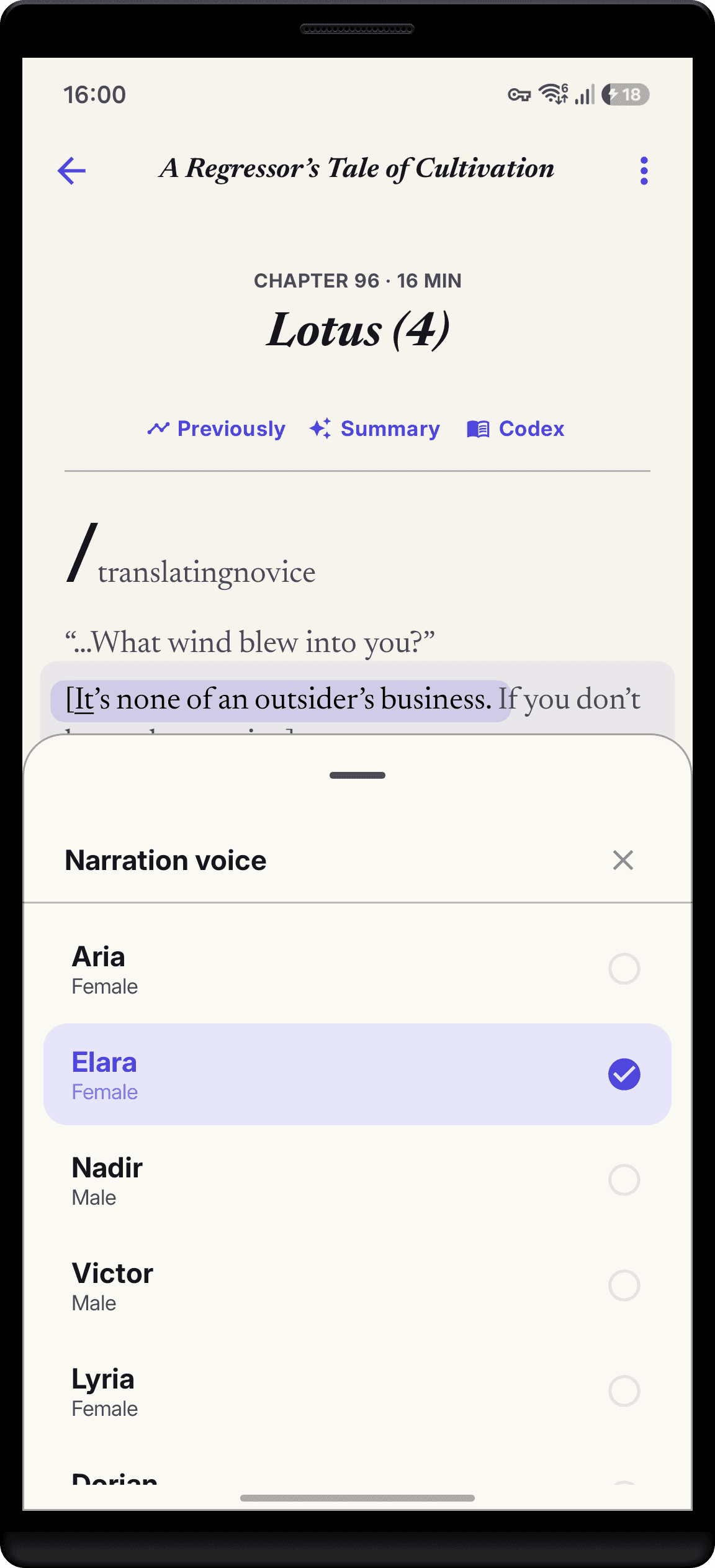
One more pattern worth knowing: many readers keep both the translation and the original chapters in their library. Narrate the translation with an English voice for daily reading, then switch to a native voice for favorite scenes in the original language. Because the voice setting is app-wide, the swap takes seconds in the player, and your reading position stays pinned to the sentence either way.
Tips for translated novel audio
- Use Supertonic for libraries mixing English, Japanese, and Korean chapters.
- Use a Kokoro Chinese voice when reading original-language Chinese serials.
- Set the Supertonic language manually for Spanish, French, and other Latin-script originals; Auto resolves them to English.
- Keep the Codex open to double-check Pinyin spellings while listening.
- Stay near 1.0x to 1.25x on dense cultivation chapters with heavy terminology.
- Combine sentence highlighting with audio to learn foreign vocabulary in context.
Common questions about multilingual narration
Why does my Spanish novel sound English in Auto mode?
Auto-detect classifies text by script, and Spanish shares the Latin alphabet with English. Open the language picker and choose Spanish manually; the engine itself speaks it natively.
Can Supertonic narrate Chinese text?
Not well. The current StoryCodex catalog has no Chinese voice for Supertonic, and Auto mode routes Chinese characters to the Japanese path. Use one of Kokoro's ten Mandarin voices for original-language Chinese.
Will a mixed-language chapter switch voices mid-page?
Detection runs per narrated segment, so a paragraph that is mostly Korean will be voiced as Korean even inside an English-heavy chapter. A single foreign name inside an English sentence stays English, which is usually what you want.
Can I fix a name that is pronounced wrong?
There is no custom pronunciation dictionary, but pronunciation is consistent, so a slightly off name at least stays stable. For original-language chapters, switching to a matching native voice is the reliable fix.
StoryCodex entity profiles store real names alongside honorific titles, so when translated text shifts between 'Master Chen' and 'Chen Long', your lore lookup still shows one unified character record.
StoryCodex is free to try on Google Play and the App Store. Import a serial, pick a neural voice, and your library works fully offline, no account required.
Keep the story clear
Try StoryCodex for free.
Read, listen, and remember any long story with a private, spoiler-safe story memory that lives on your device.

